Welcome to AdHub
Updated
AdHub is your team's workspace for managing leads, tracking follow-ups, and running your advertising operations from one place.
Your workspace after signup
After you create an account (or accept an invite), you land on the dashboard.
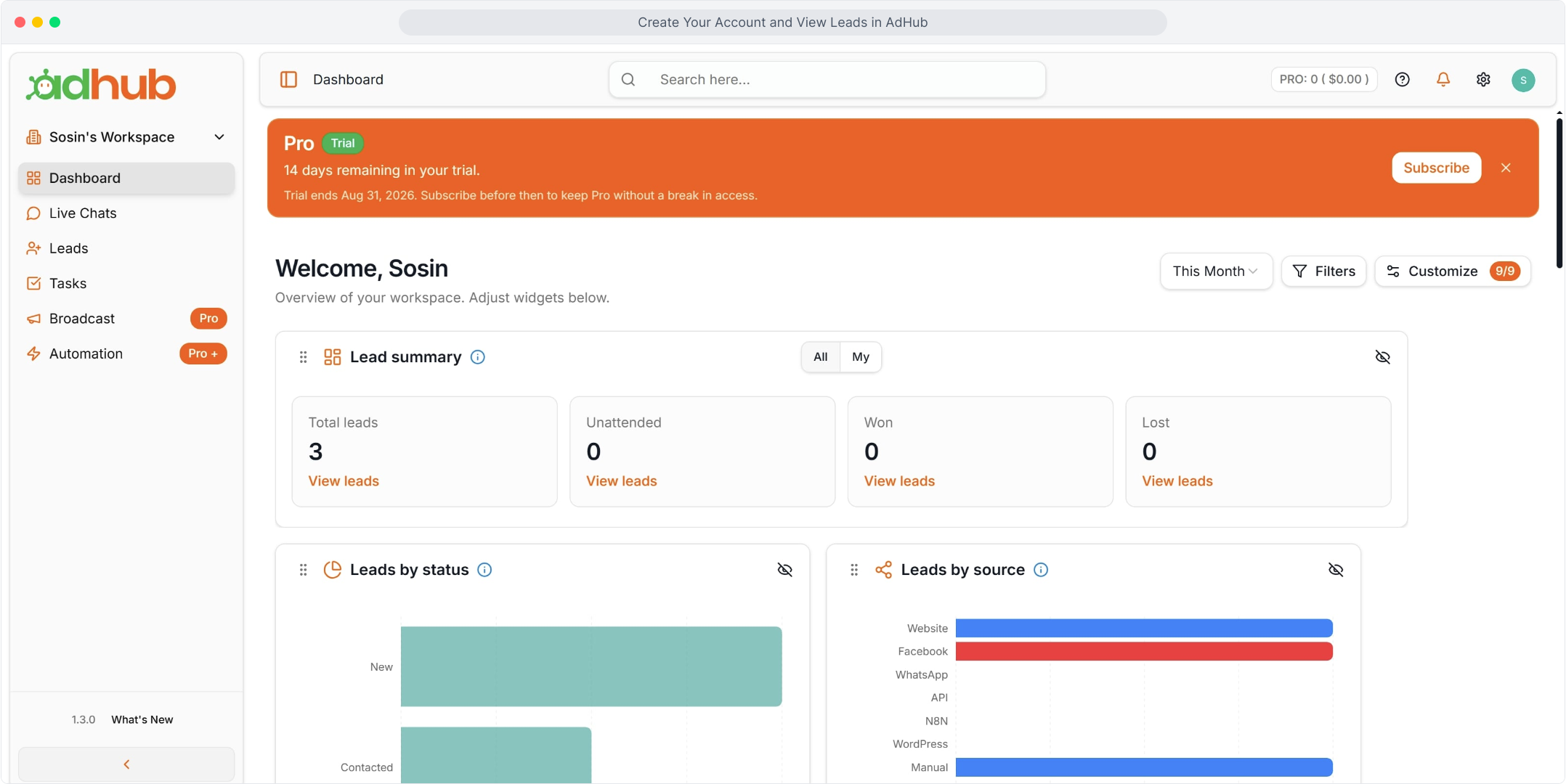
The left sidebar lists Dashboard (active), Live Chats, Leads, and Tasks, plus plan-gated Broadcast and Automation. The orange Pro Trial banner sits above Welcome and the widgets: Total leads, Unattended, Won, Lost, Leads by status, and Leads by source. The top bar has search, help, notifications, the Settings gear, and your profile.
What you can do
- Capture and manage leads from every source
- Assign and follow up on leads with your team
- Create tasks so every lead has a next step
- Configure your organization's settings, roles, and billing
Where to start
- Create your account (or accept an invite) and open the dashboard — see Creating Your Account.
- Invite your teammates from Settings → User Management — see Inviting Teammates and First Login Tips.
- Add or import leads, then create follow-up tasks — see Creating and Importing Leads and Creating and Managing Tasks.
Jump-friendly sections
Navigating the dashboard
Use the main sidebar to move between Leads, Tasks, and Settings. Navigating the Dashboard has a closer look at the widgets.
Getting help later
If you get stuck, use the help drawer in the top navigation bar to search this knowledge base at any time.
Related articles
- How to link your Google account Link your Google account in Manage Profile so you can sign in to AdHub with Google.
- How to sign up with email Create an AdHub account with your name, email address and a password, then open your new workspace dashboard.
- Navigating the Dashboard An overview of the main dashboard sections and widgets.